Poor functionality under (Arch) Linux (EndeavourOS, KDE),

Part 1 - Unfortunately, as a new user, I’m only allowed to attach one file, so I’ll try to split my post!

Hello!

First of all:

Generally, I think the idea behind Cake Wallet is great!For example, the fact that when restoring a wallet using a seed phrase, you are asked which coin/token you want to restore is not a given with other multi-currency wallets and can be helpful to ensure that the restoration actually works (and that the balance is displayed!).Or the numerous privacy settings and, of course, the ability to connect via Tor also set this wallet apart from others.Or, for example, even with smaller currencies like Polygon/USDT or Monero, the ability to adjust the fees in a simple way (slow, medium, fast + possibly fastest, depending on the currency).

However, I’m running Cake Wallet on Linux (Arch/EndeavourOS, KDE) and installed it via the AUR (cake-wallet-bin 5.5.2-1), and unfortunately, it’s anything but smooth.

Even when creating a new wallet (from an existing one), things quickly become confusing: You’re supposed to enter a password, but when you click “Continue,” you get an error message saying that the password is incorrect. You can seemingly click “Okay” to dismiss the error message, but that doesn’t work; it keeps reappearing. You can’t get out of this situation. The only thing that helps is to completely close the wallet, open it again, and start over.After a lot of trial and error, and based on the experience that in other wallets you often have to enter passwords a second time for verification, I discovered that there are more input fields below the password entry field. You just can’t see them:
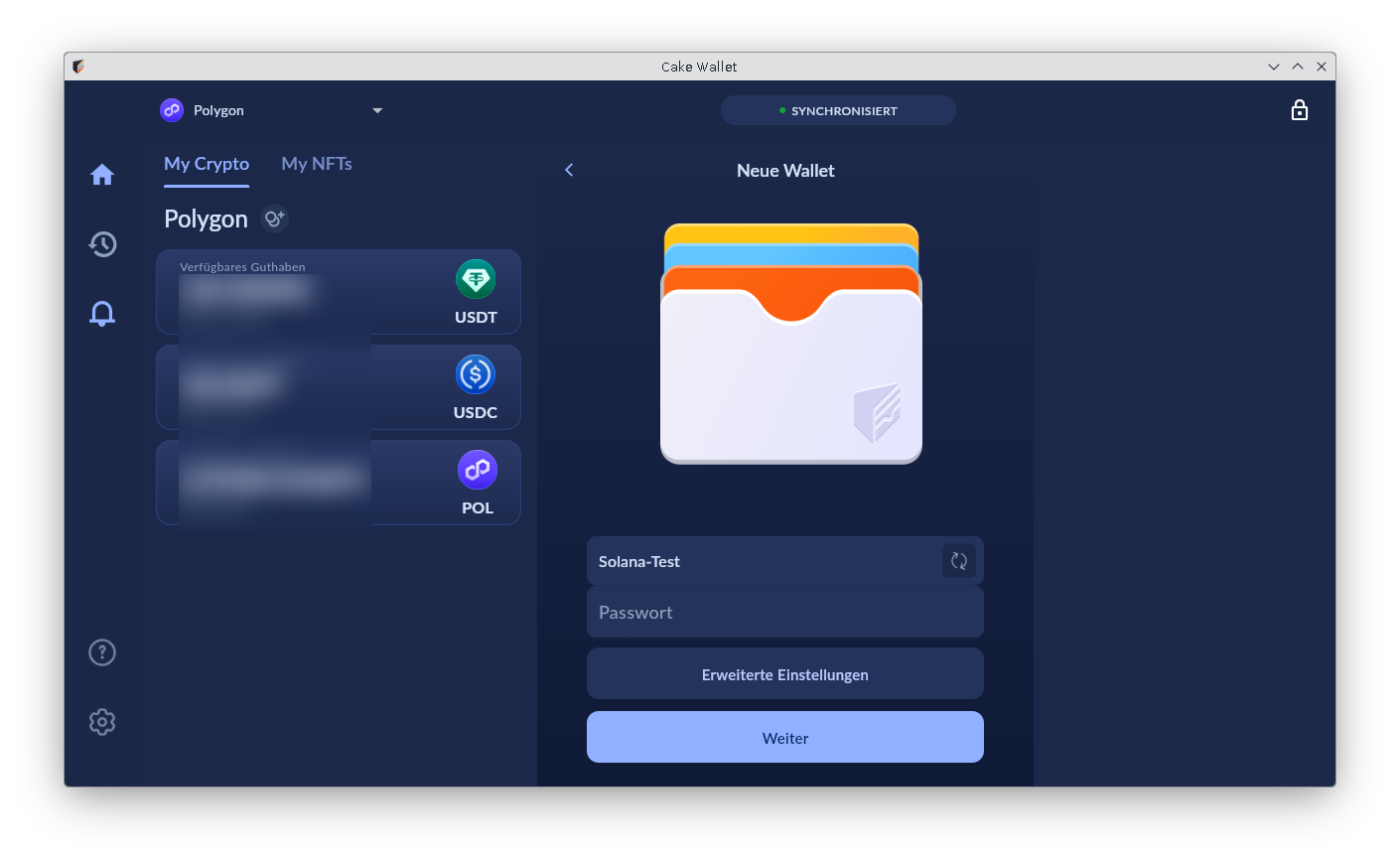
Only when you wiggle the mouse around and/or hover over the areas does a shaky scrollbar become visible, hinting that there’s more hidden there.The scrollbar itself, when visible, only reacts sluggishly and with a delay to mouse wheel movements.

Possibly to be continued (if the publication goes ahead) …
1 Like

Part 2

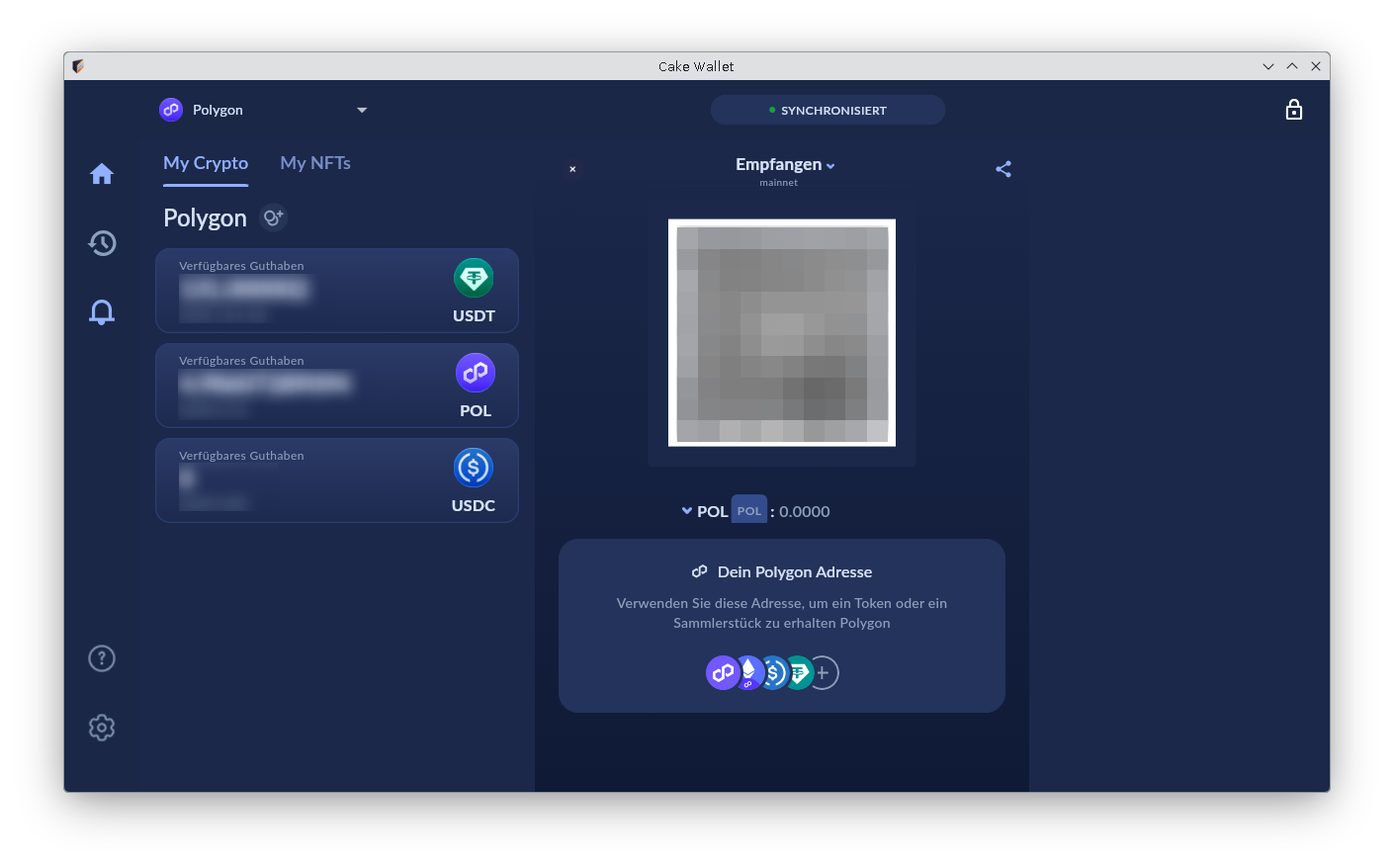
The issue with the missing scrollbar and invisible content is actually a recurring problem: For example, it took me a few minutes to find my Polygon address. When you click on “Receive,” a section opens, but only a QR code is visible.

Further down, it says “Your Polygon Address.” But I can’t do much with the QR code on my Linux desktop PC (although there are programs that can read it, it’s cumbersome). Here, too, I eventually discovered that more content is hidden further down; you just have to make the hidden scrollbar visible by hovering over it with the mouse and then scroll down. The address is then also displayed as a human-readable number code and can be copied with a click. In my opinion, the somewhat excessive minimalism could be abandoned in favor of better clarity, and the scrollbars should simply be permanently displayed. Or the window would have to be designed differently so that all important content is visible at once.

Possibly to be continued (if the publication goes ahead) …
2 Likes

Part 3

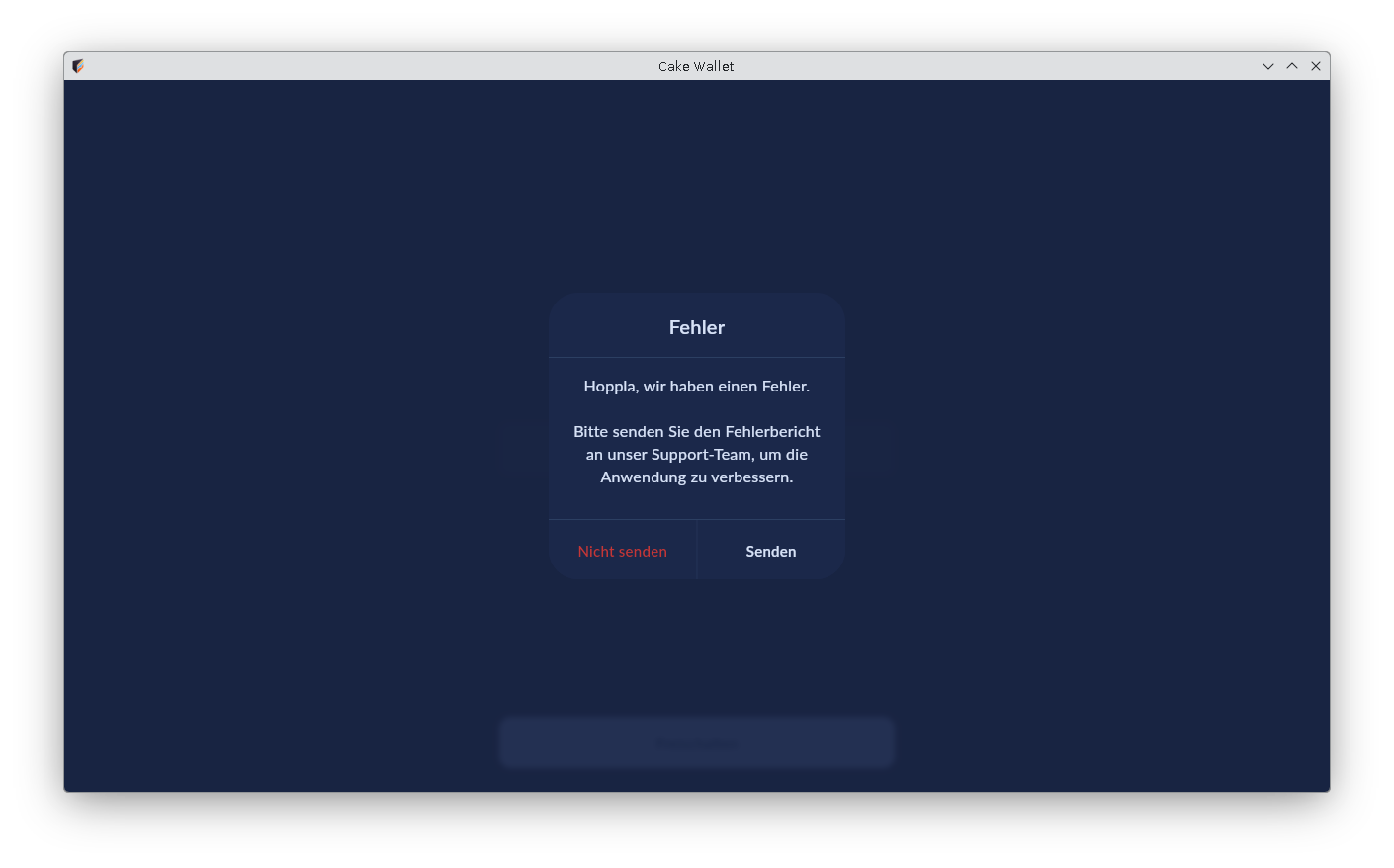
If you have successfully created your wallet, restart the program, and try to open your wallet by entering your password, an error message may also appear (my menu language is German, and frankly, it was too much trouble for me to change it and try to reproduce everything again so that the messages would appear in English):

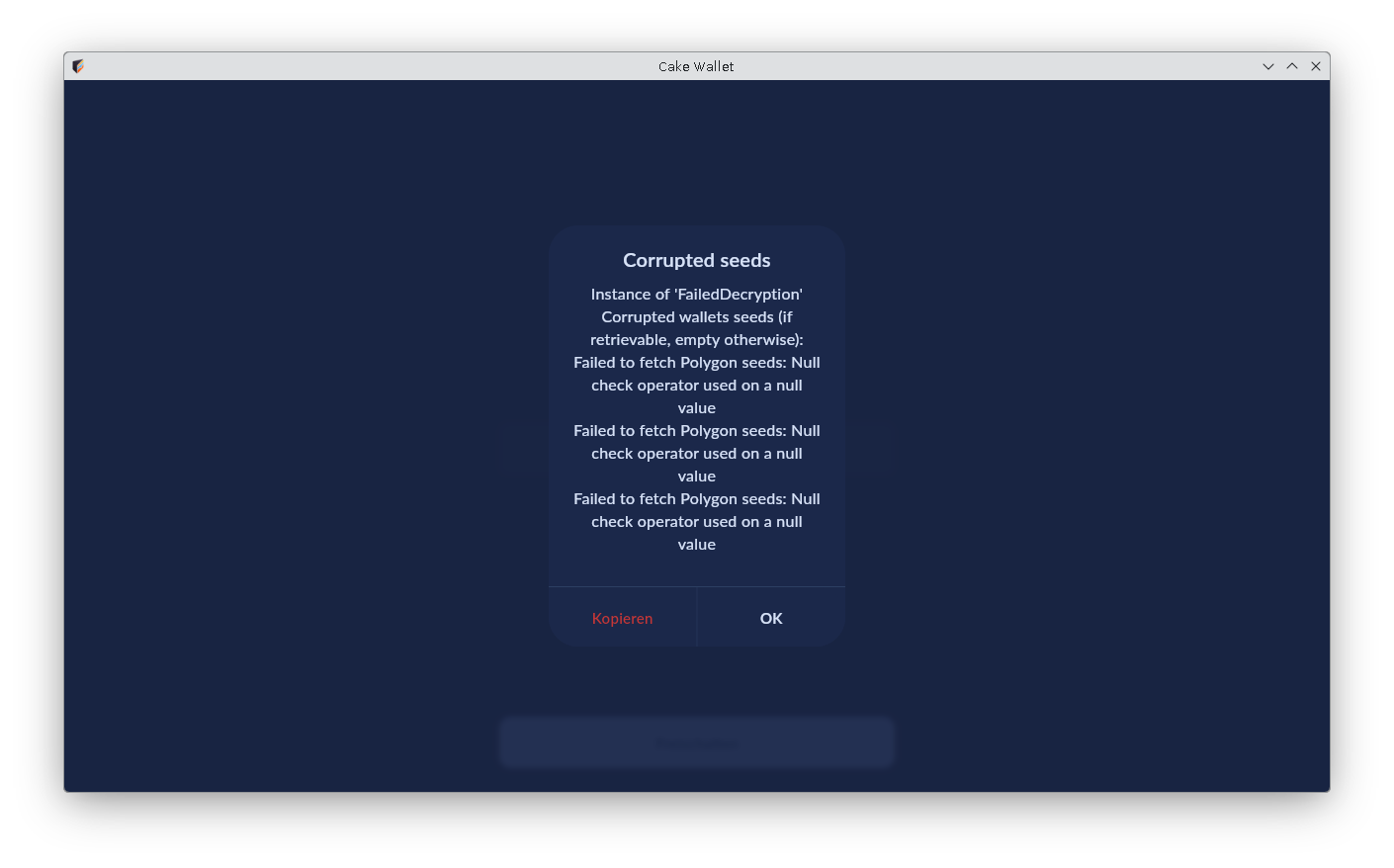
It says something like: “Error. Oops, we have an error. Please send the error report to our support team to improve the application: Do not send/Send” I tried to send it, but the program interface just flickers wildly, and eventually, after clicking “Send” or “Do not send” several times, this second error message appeared:

Possibly to be continued (if the publication goes ahead) …
3 Likes

Part 4

… this second error message appeared:

Repeated attempts then result in the same error messages again.

Only when you close and reopen the wallet does it suddenly work normally again. Since I started exploring the Cake Wallet a few days ago, I’ve seen this error message three times already. I had also used the seed phrase in another wallet in the meantime, or rather, restored my wallet there, and so far no error messages have appeared.

Possibly to be continued (if the publication goes ahead) …
2 Likes

Part 5

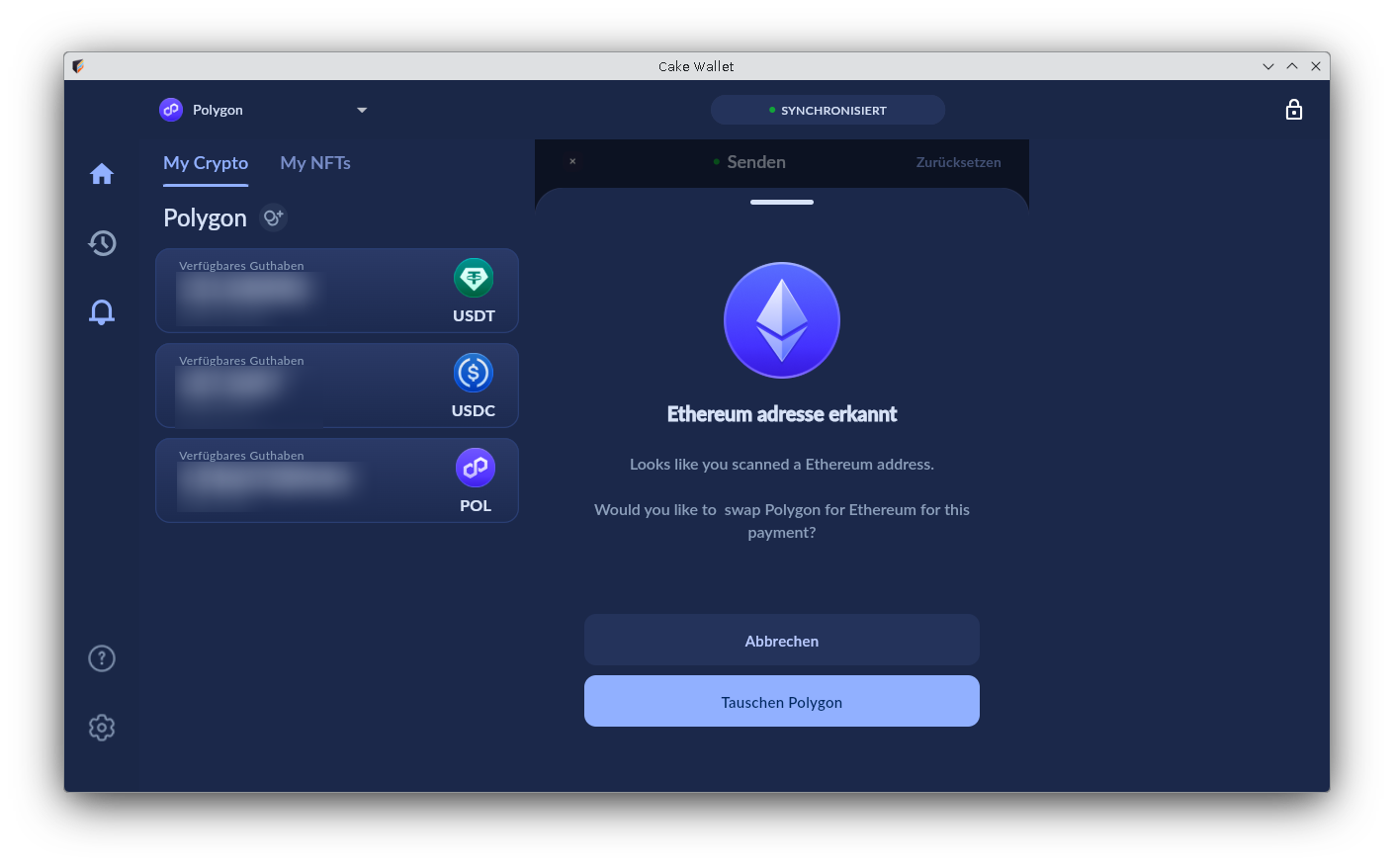
When I try to send USDT/Polygon to someone and enter the corresponding wallet address, I get this message:

“Ethereum address detected.”

I can then only click on Cancel or Swap.Of course, it is ultimately an Ethereum address, but the network (in this case USDT/Polygon) determines where the transaction is processed and confirmed. If Polygon is selected, the token transfer and booking should take place on the Polygon blockchain.

If you’re persistent enough, you can still manage to send your Polygon, USDT, or USDC here. It apparently works somehow if you click in the upper dark bar, where it says “Send,” which, however, looks like it’s not clickable. (Maybe you can click somewhere else too, I haven’t tried that yet.) You might have to do this several times and also see that Ethereum warning message again, but eventually, you’ll get to the password entry screen.

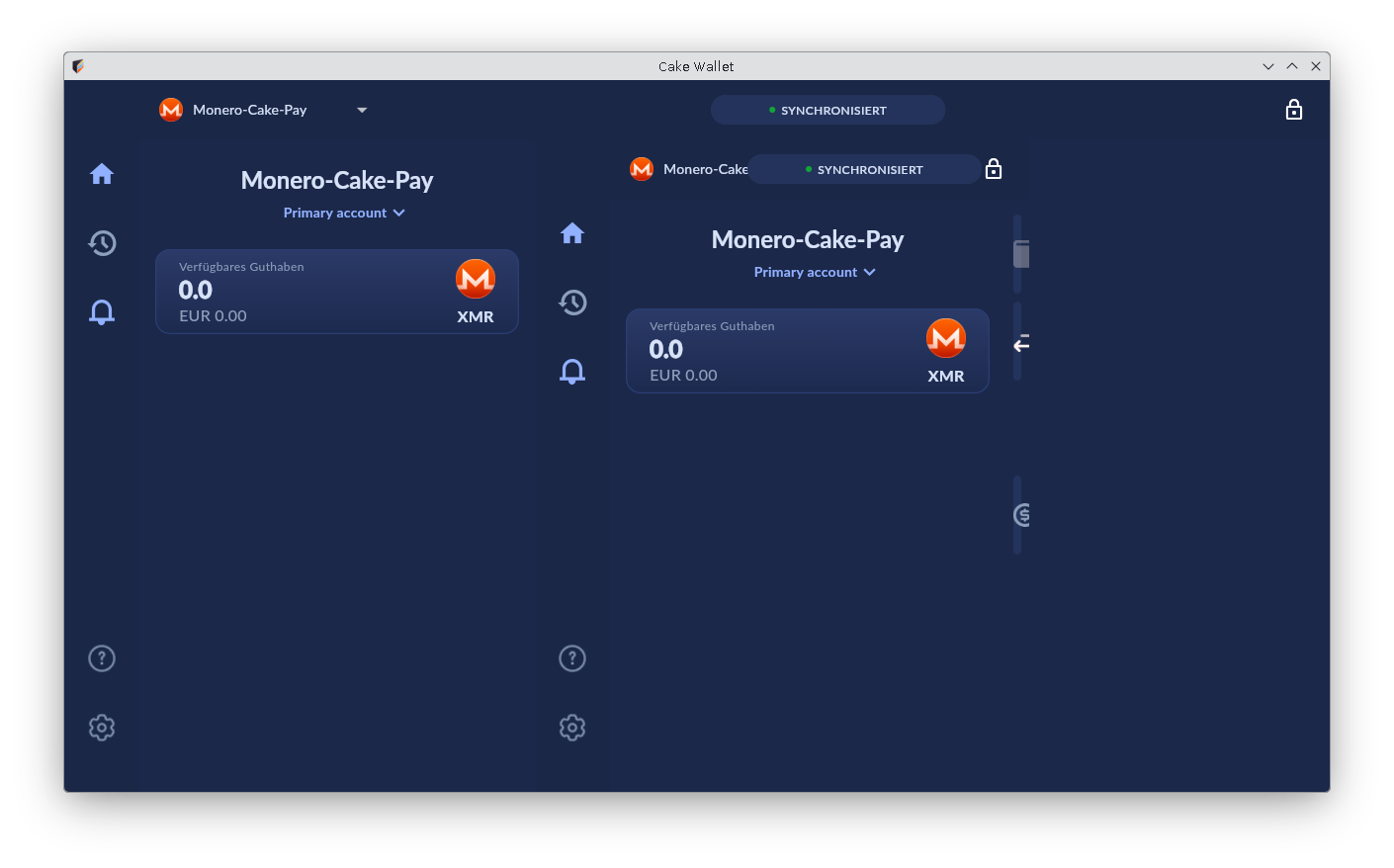
Next small obstacle: After entering the password (for sending), you also have to drag a slider from left to right (“swipe to send”).I suspect this is also a remnant of the user interface that was probably originally developed for smartphones. It might work well on a smartphone (I don’t have that experience).But on my Linux desktop, you have to firmly drag the arrow/slider to the right, even if it doesn’t move at all (at first). You still have to drag the mouse steadily to the right and then release it all the way to the right. Eventually, the arrow will stumble along belatedly and hopefully to the right place. And with a bit of luck, it works on the first try.

Overall, the program gives the impression of being overloaded. The CPU load is also much higher than with similar programs, such as Exodus, Guarda, Now and Atomic. Sometimes the program takes about 15-30 seconds to react to clicks, sometimes it doesn’t react at all. But sometimes it does, and if you’ve already clicked something else in the meantime, the program is even more overwhelmed.The user interface constantly twitches and shakes as soon as you move the mouse.

Another somewhat annoying thing: There’s apparently no right-click functionality, and there’s also no “feedback” when you hover the mouse over a button. What I mean is: With other programs, a small message pops up telling you what the button does (without having to click it and thus try it out).

Also something that takes getting used to: When I start the wallet and enter my password, I’m used to confirming the entry with the Enter key, as is common with other programs and logins. But I can wait a long time here! That doesn’t work; you have to click “Unlock” at the bottom with the mouse. But even when you do that, you don’t get any feedback. The login screen simply remains as it is until you are finally logged in, after about 30-40 seconds.

Possibly to be continued (if the publication goes ahead) …
3 Likes

Part 6

After sending a currency, I usually see this confusing view:

However, you return to the “normal” view when you click on the home button, for example.

Another somewhat suboptimal thing: If you have multiple wallets in Cake Wallet, you are forced to always log in with the last opened wallet. Only when this one is open can you click on another one within the wallet, then you have to confirm the dialog again that you really want to switch, enter the password for the other wallet, and only then can you actually switch. This is also cumbersome because with the first wallet, which you may not even want to open, you first have to wait about 30-40 seconds until it opens (presumably it’s synchronizing in the background during that time?). It would be better if, when you start Cake Wallet, it would start directly with a login screen where you can select the wallets you have. Then you could directly select the desired wallet, enter the password, and you would be there.

One more thing I noticed is the somewhat unusual storage paths for the personal configuration files. I found these files on my system after searching for a few minutes in the following locations:

~/documents/cake_wallet
~/.local/share/com.example.cake_wallet

I don’t have any other program that stores its configuration files, or any part of them, under documents.The usual storage locations are more like:

~
~/.config

One last thing:Cake Pay doesn’t work on Linux. If you try to log in via email, you receive a confirmation code that doesn’t work. I’ve already contacted support about this via email and received the following response: “… Please access via the website CakePay.com rather than in the app. Appears Linux is broken for the OTP codes” That’s a shame! But luckily, it also works directly via cakepay.com, and you don’t necessarily need a Cake Wallet to pay.

I would really like to use Cake Wallet, but with all the obstacles mentioned, it’s a bit too cumbersome for me at the moment.

I had this text automatically translated from German into English, as my English isn’t very good! Please excuse any imperfections!

3 Likes

Hi, welcome to the forum.

I personally have recently ran and tested Cake on Fedora 43. I have been able to lock/unlock wallets just fine, to tend to support ticket reports. I have also been successful at purchasing/selling crypto using the Buy tab before. I checked Cake Pay’s OTP code received by e-mail and it indeed says broken. Will keep it in ToDo internally and make sure it is documented, seen, acknowledged. Thanks!

Two personal comments, detached from my active role at Cake:

  1. Desktop enhancements and overhaul is part of current Cake’s roadmap, improvements are on the way; no ETA yet, though.
  2. Hard mode distributions like Arch are normally not supported. All due respect, but… Ubuntu, Debian, even my hipster Fedora, saves you a lot of time and is far more standard than Arch or Gentoo. What I am trying to get across is… it is hard for anyone, especially a developer, to say a random day, oh, we got this report on this… fundamentalist GNU/Linux distribution, let’s flash it and try to reproduce…

Definitely feel encouaged to keep on reporting and enjoying your time in our forum! Appreciate you.

2 Likes